
Digiotouch AI Team
8 Aug 2026
Can ChatGPT Take Meeting Notes?
Meeting Productivity

Yes. Gemini takes meeting notes through a feature called "Take notes for me", built into Google Meet. It follows a live call, then writes a summary with decisions and action items into a Google Doc saved in the meeting organiser's Google Drive. The trade-off is that it needs a paid Google Workspace or Google AI plan, it works best when your team already lives inside Google, and it covers only a small set of languages.
In short:
Annika runs operations at a Helsinki software company. Her team is already on Google Workspace, so when a colleague mentioned that Gemini could write meeting notes, she went looking for the setting and could not find it. Their edition turns out to be one of the Starter tiers the feature leaves out. Half her calls run in Finnish anyway, and the rest are on Teams with a client who will not move. She still ends most weeks typing notes up from memory.
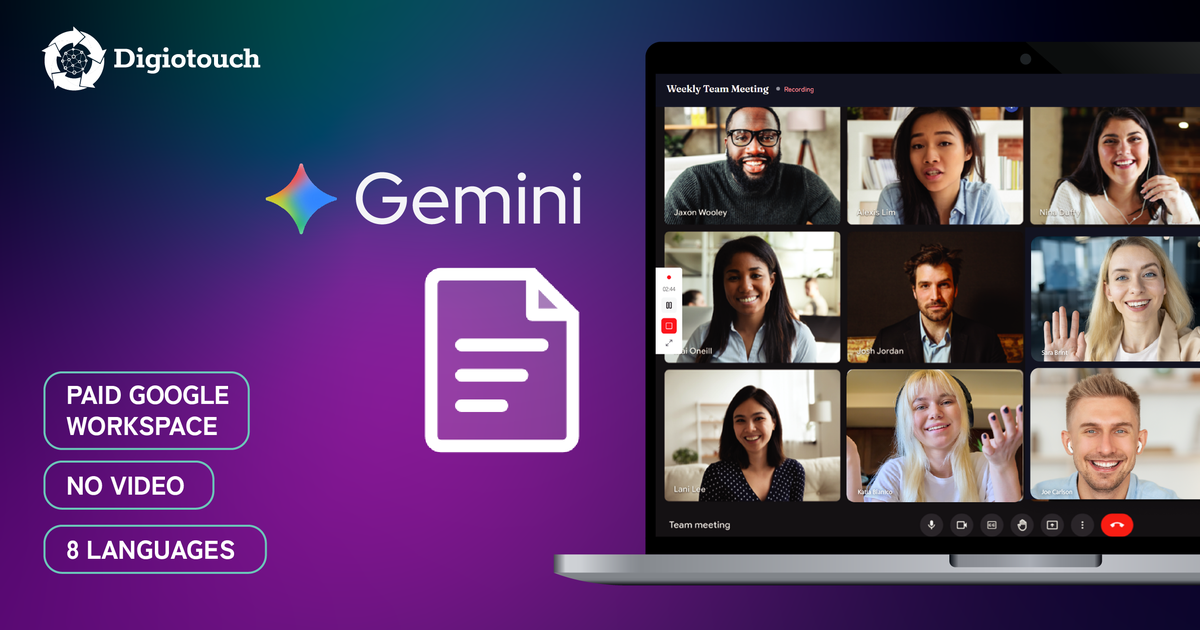
Gemini is Google's AI assistant, and its meeting-notes ability lives inside Google Meet under the name "Take notes for me". When you switch it on during a call, Gemini follows the conversation and produces a structured recap. Nothing joins the meeting as an extra participant, which many teams prefer to a visible bot in the attendee list.
After the call ends, Gemini creates a Google Doc in the meeting organiser's Drive, usually within a few minutes. The organiser also gets an email with a link, and the same link appears on the Calendar event. A typical recap includes a short summary, the decisions made, and next steps, with owners and deadlines when they were clearly spoken.
The feature has grown quickly. Google reported that more than 110 million attendees used "Take notes for me" in a single month, and in 2026 it expanded to in-person meetings and to Teams and Zoom calls opened through the Google Meet app.
How Digiotouch AI handles this: Digiotouch AI also records without a bot in the attendee list, so that much is common ground. What differs is where the record ends up. On desktop it saves a copy of the video and audio to your own computer as the meeting runs, and summaries, action items, and export to PDF or DOCX are included from the free plan. You can also ask the DIGI AI assistant about what was discussed, including content that was shown on screen during a presentation.
Here is the native route, step by step:
Step-by-step instructions and current availability are on Google's help page: Google Meet Help, "Take notes for me".
Good to know: from 21 September 2026, Google switches automatic note-taking on by default for Business Standard and Business Plus, for meetings with 3 or more people. Other eligible editions stay off by default. If you would rather notes did not start on their own, check your admin settings or your own Meet settings.
Not on a free account. Gemini's "Take notes for me" is part of paid Google plans, so an individual on a free personal Google account will not see it at all. To use it, you generally need an eligible Google Workspace Business or Enterprise plan, or a paid Google AI subscription, and on managed accounts an administrator has to switch it on first.
This matters if you are searching for a free AI note-taker. Google's note-taker is bundled into plans you may already be paying for, which is convenient for existing Workspace customers, but it is not a standalone free option for solo users or small teams outside Workspace.
The qualifying editions are Business Standard, Business Plus, Enterprise Standard, Enterprise Plus, Frontline Plus, and the Google AI Pro for Education add-on. The Starter tiers are excluded. Because prices change, check Google's own plan pages for current figures rather than a number quoted elsewhere.
How Digiotouch AI handles this: Digiotouch AI has a free plan at 0 EUR that you can start on yourself, with no administrator approval and no paid subscription behind it. It includes 300 minutes a month, video recording, summaries, action items, and export to PDF or DOCX. The full transcript starts on the Essential plan, which is worth knowing before you commit. For users in the EU and EEA, data is stored in the EU by default, and meeting content is never used to train AI models.
Gemini's note-taker does the basics well, but a few limits are worth knowing before you rely on it:
How Digiotouch AI handles this: Digiotouch AI is a dedicated meeting assistant that works across web, desktop (Windows and Mac), and mobile (iOS and Android), so it is not tied to one meeting platform or one ecosystem. It records the meeting video and saves a copy to your own computer, transcribes and summarises in 130+ languages including Estonian, Finnish, Swedish, Norwegian, and Danish, and offers a free plan you can start on without a paid subscription.
If most of your meetings run through Google Meet and your team already pays for Workspace, Gemini's note-taker is a sensible default. If your meetings are spread across platforms, or you need a recording, more languages, or a free way to start, a dedicated meeting assistant fills the gaps.
69.8% of professionals said they would use a secure AI tool that generates meeting minutes in seconds. Only about 5% said no. Digiotouch AI survey of 43 professionals, international market, November 2024.
Digiotouch AI is built for exactly that. It runs on web, desktop (Windows and Mac), and mobile (iOS and Android), so it is not limited to one platform or one company's ecosystem. On desktop it records in the background without a bot joining the call, and it saves a copy of the video and audio to your own computer as an immediate backup. It transcribes and summarises in 130+ languages, and from the Essential plan up it can translate a conversation live during the call on desktop. You can also ask the DIGI AI assistant questions about the meeting afterwards, including about content that was shown on screen during a presentation.
Two points are worth stating plainly, because they are areas where Google and Digiotouch AI agree rather than compete: neither approach forces a bot into your call, and Digiotouch AI does not train AI on your content.
Digiotouch AI's free plan (0 EUR) includes video recording, summaries, action items, and export to PDF or DOCX. The full transcript is reserved for paid plans, which is worth knowing up front. For current plans and prices, see the Digiotouch AI pricing page.
A quick way to decide, based on how and where you meet:
| Your situation | Gemini "Take notes for me" | A dedicated tool like Digiotouch AI |
|---|---|---|
| Meetings are spread across Zoom, Teams, and in person | Only through the Google Meet app, not native inside those tools | Captures across web, desktop, and mobile, whatever the platform |
| You need the meeting video plus a copy you keep | No video on its own, and nothing saved to your device | Records the video and saves a copy to your own computer |
| Your meetings run in Nordic, Baltic, or other less common languages | Around 8 languages, one per meeting | 130+ languages, including Estonian, Finnish, Swedish, Norwegian, Danish |
| You want to start free, without a paid subscription | Needs a paid Google plan; not free on personal accounts | Free plan to start (the full transcript is a paid feature) |
| Your team already pays for Workspace and every call runs on Google Meet | Strong fit: included in your plan, no new tool, notes filed straight into Drive and Calendar | Adds a second tool you would not strictly need |
The last row is where Gemini clearly wins: if you already pay for Workspace and every call runs on Google Meet, its note-taker is convenient, costs nothing extra, and files notes straight into Drive and Calendar.
If you are weighing built-in AI features against dedicated tools, it helps to read across the set:
To try Digiotouch AI on your own meetings, start a free trial, and see current plans and prices.
Digiotouch AI is the vendor of the product described in this article. Details about other tools were last checked on 5 August 2026 and may have changed. You can send any corrections to notes@digiotouch.ai.
Yes. Through "Take notes for me" in Google Meet, on eligible paid Google plans, Gemini summarises the call into a Google Doc after the meeting, with decisions and action items.
Confirm your Google plan includes Gemini, ask your admin to enable AI note-taking, then turn on "Take notes with Gemini" from the Calendar event or from inside the call. The notes appear in the organiser's Drive a few minutes after the meeting ends.
Google lists three common reasons the control is missing: the meeting organiser is on an edition that does not include the feature, an administrator has turned it off, or smart-feature settings are switched off in your Google account. In practice, host management can add a fourth, since it limits starting notes to the host and co-hosts, and a personal account needs an eligible Google AI plan. If the notes seem to vanish after a call, check the newer "Google Meet" folder in Drive rather than the one now called "Legacy Meet Recordings".
Indirectly. Since 2026 you can start "Take notes for me" for Teams and Zoom calls, but you open them through the Google Meet app rather than using the feature natively inside Teams or Zoom. If most of your calls are on those platforms, a cross-platform tool is usually a better fit.
There is no single answer, because "free" depends on the tool. Google's note-taker is not free on personal accounts. Some dedicated assistants, including Digiotouch AI, offer a free plan you can start on without paying. Check what each free plan includes, since limits differ; for example, full transcripts are often reserved for paid tiers. Digiotouch AI's plans are listed at digiotouch.ai/en/pricing.
It depends on where you are. Many places require that people are told a meeting is being recorded or transcribed, and some require consent from participants. Rules vary by country and by state, so check the law where you and your participants are based, and tell people before you start. This is general information, not legal advice.
It can be, when it is done openly. The simple test is transparency: let people know that notes or a recording are being taken, explain why, and give them a way to opt out where that is expected. Tools that avoid a hidden bot and keep data under clear control make that easier to do.


